
Many at times, new customers find it not easy to find their login details or where/how to login to their cpanel
How to Login to Cpanel?
There are basically two ways you can login to your cpanel:
a. Login through your client area.
b. Login directly to cpanel.
Login Through your Client Area
- First, login to Client Area
- Navigate to services just as indicated in the image below:
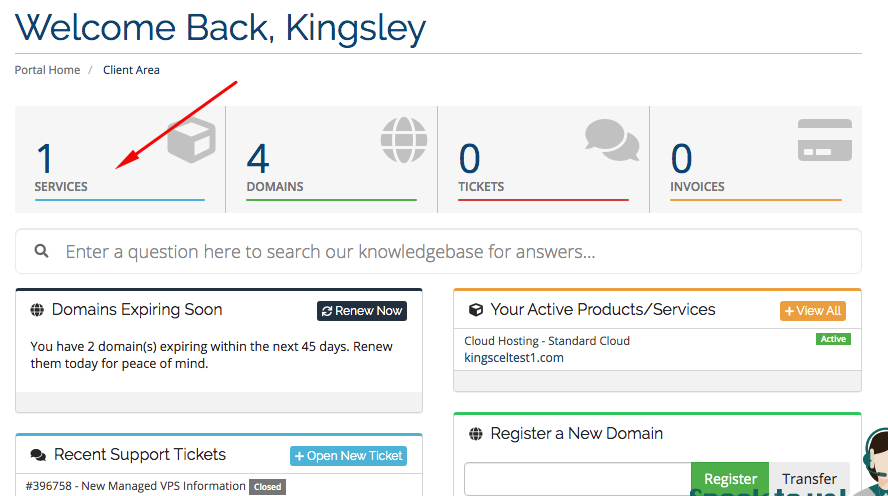
3. Click on the particular hosting service(that is if you have multiple hosting/cpanel accounts). Note: make sure not to click on the domain
you can click on the whitespace as indicated in the image below:

4. On the far left panel find and click on "login to cpanel"

This will log you into your cpanel automatically without using cpanel username and password.
Login Directly to Cpanel.
- Go to www.yourdomain.com/cpanel
- Find the cpanel username and password in your email inbox(email registered with us) with title/subject "New Account Information"
- Use that details to login to your cpanel directly
